> ## Documentation Index
> Fetch the complete documentation index at: https://support.trybarcodes.com/llms.txt
> Use this file to discover all available pages before exploring further.

# How do I hide the app icon on Apple Wallet passes?

> Remove the Barcodes app icon from your Apple Wallet passes for a cleaner look

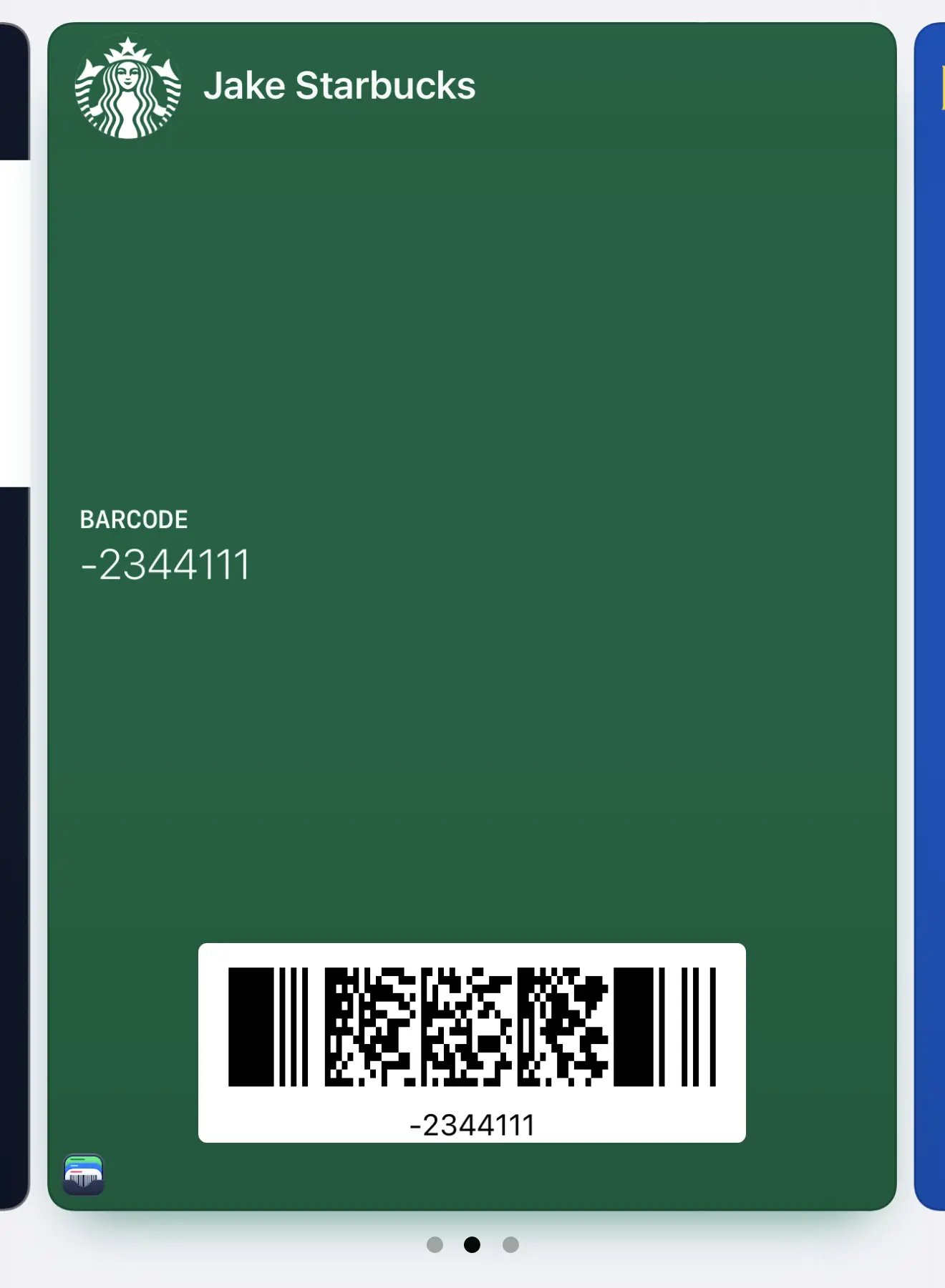
By default, Apple Wallet passes include a small app icon in the bottom-left corner that links back to Barcodes. If you prefer a cleaner, more minimalist look, you can hide this.

## How to hide the app icon

1. Go to **Settings** in the Barcodes app
2. Tap **Apple Wallet**
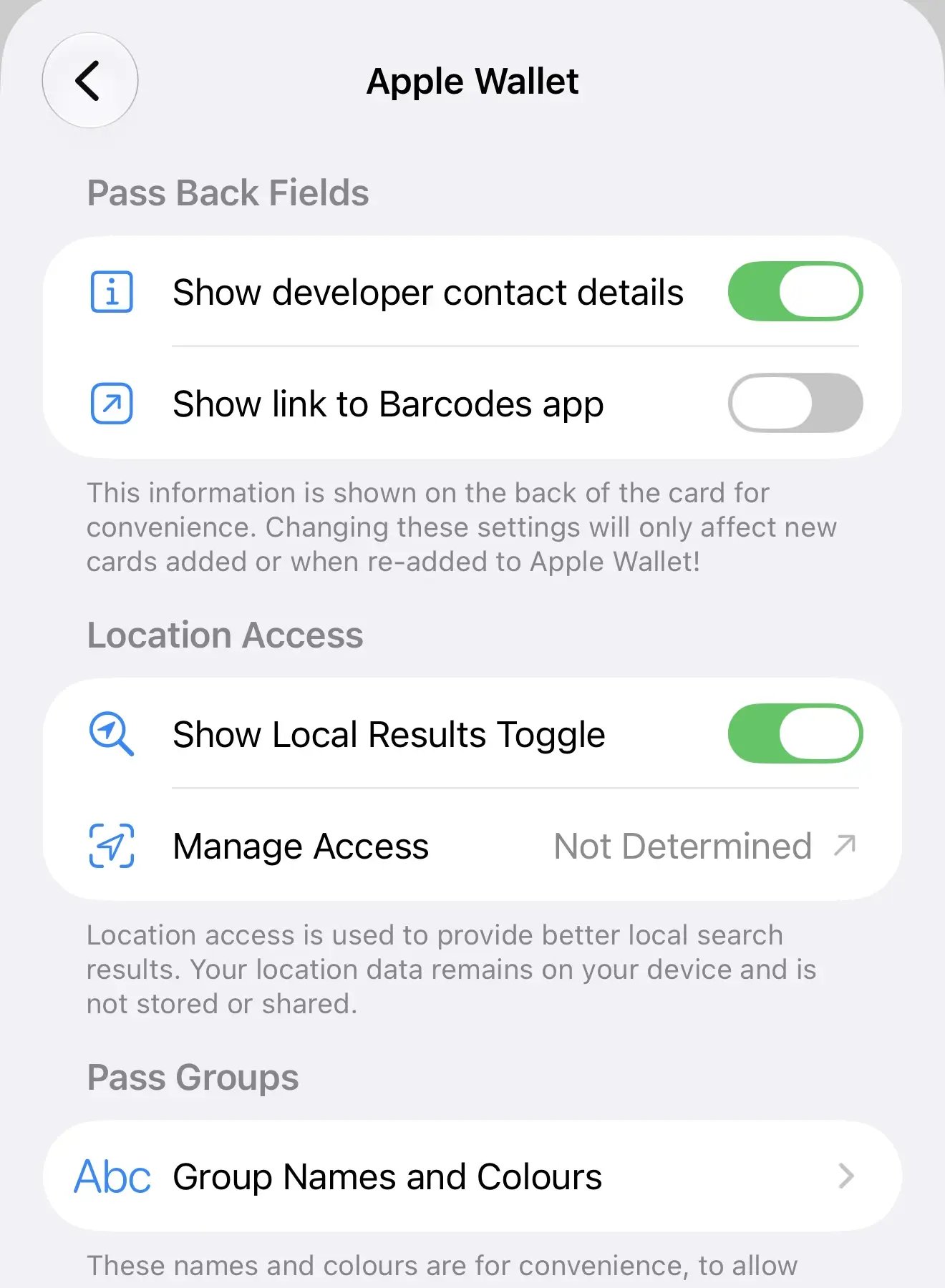
3. Toggle off **Show link to Barcodes app**

## With app link enabled
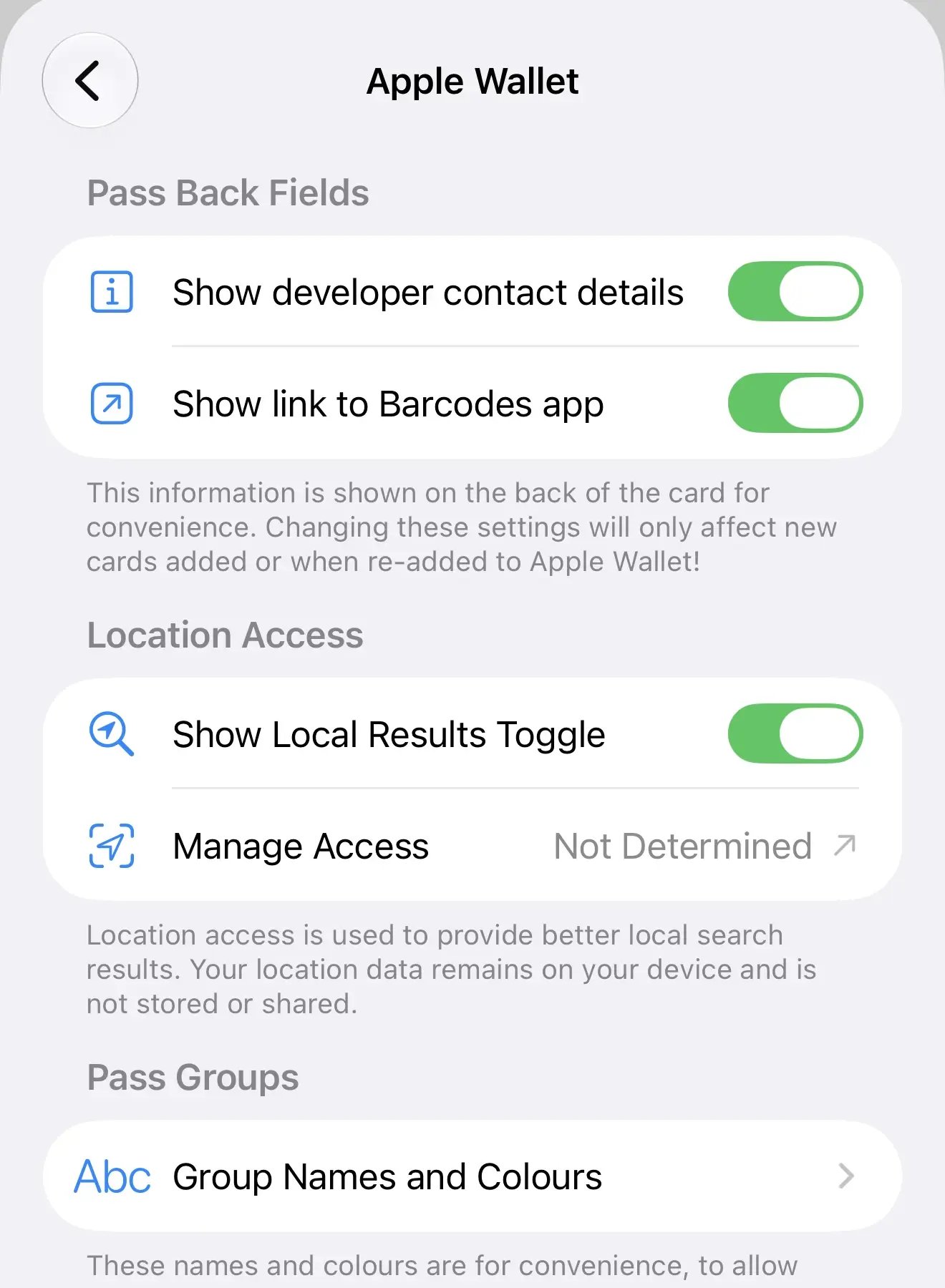
<Columns cols={2}>
  <Frame>
    <img src="https://mintcdn.com/barcodes/t1E8bdVwmIjm7tFU/images/en/hide-app-link-wallet/settings-toggle-on.webp?fit=max&auto=format&n=t1E8bdVwmIjm7tFU&q=85&s=d3537365fa69eea498edb586b4607a22" alt="Apple Wallet settings with app link toggle enabled" width="1320" height="1800" data-path="images/en/hide-app-link-wallet/settings-toggle-on.webp" />
  </Frame>

  <Frame>
    <img src="https://mintcdn.com/barcodes/t1E8bdVwmIjm7tFU/images/en/hide-app-link-wallet/pass-with-app-icon.webp?fit=max&auto=format&n=t1E8bdVwmIjm7tFU&q=85&s=275cfc4f18803ecc97f1c2365e6b1b1b" alt="Wallet pass with the Barcodes app icon visible" width="1320" height="1800" data-path="images/en/hide-app-link-wallet/pass-with-app-icon.webp" />
  </Frame>
</Columns>

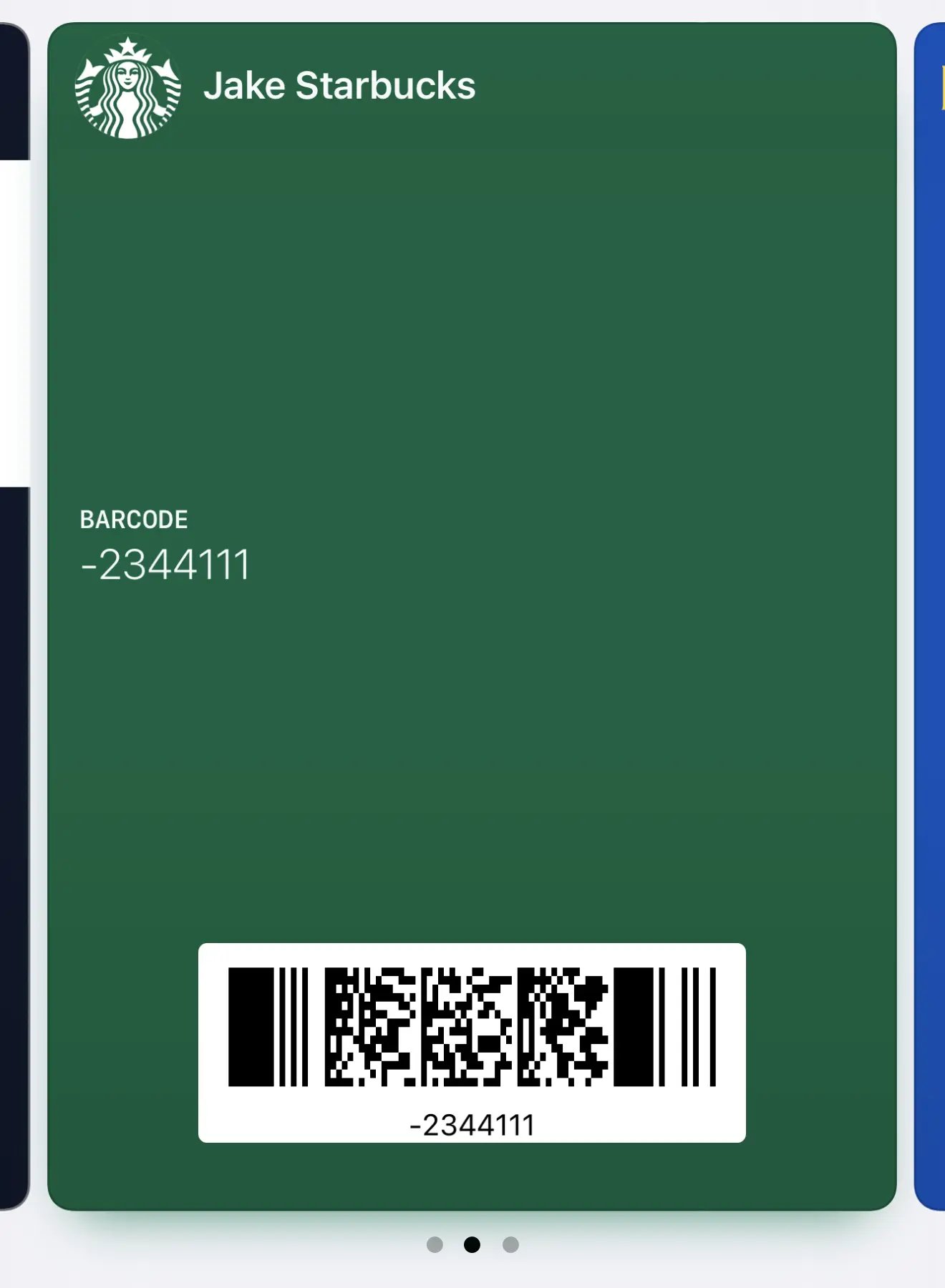
## With app link disabled

<Columns cols={2}>
  <Frame>
    <img src="https://mintcdn.com/barcodes/t1E8bdVwmIjm7tFU/images/en/hide-app-link-wallet/settings-toggle-off.webp?fit=max&auto=format&n=t1E8bdVwmIjm7tFU&q=85&s=c67388896148465bc0fc67ed2e3a5d57" alt="Apple Wallet settings with app link toggle disabled" width="1320" height="1800" data-path="images/en/hide-app-link-wallet/settings-toggle-off.webp" />
  </Frame>

  <Frame>
    <img src="https://mintcdn.com/barcodes/t1E8bdVwmIjm7tFU/images/en/hide-app-link-wallet/pass-without-app-icon.webp?fit=max&auto=format&n=t1E8bdVwmIjm7tFU&q=85&s=a2c78159d4779f2176205f2411f41fb5" alt="Wallet pass without the app icon for a cleaner look" width="1320" height="1800" data-path="images/en/hide-app-link-wallet/pass-without-app-icon.webp" />
  </Frame>
</Columns>

<Note>
  This setting only affects new passes. To update existing passes, remove them from Apple Wallet and re-add them from Barcodes.
</Note>