> ## Documentation Index
> Fetch the complete documentation index at: https://support.trybarcodes.com/llms.txt
> Use this file to discover all available pages before exploring further.
# How do I cancel my subscription?
> Learn how you can cancel your subscription
## Cancel a subscription on your iPhone, iPad, or Apple Vision Pro
1. Open the Settings app.
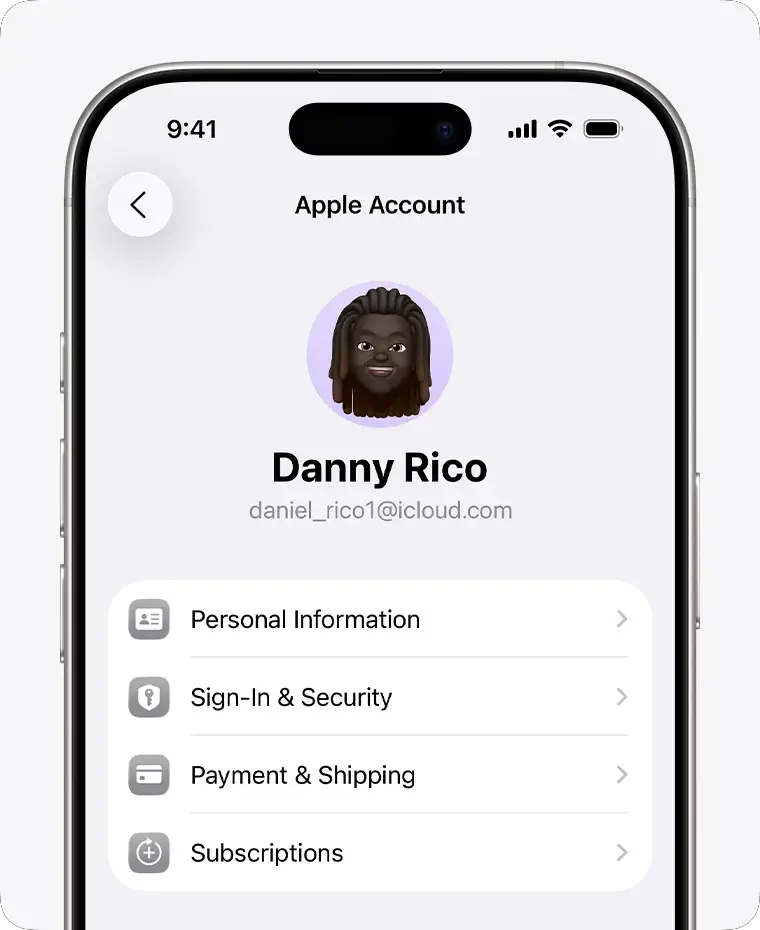
2. Tap your name.
3. Tap Subscriptions.
 4. Tap the subscription.
5. Tap Cancel Subscription. You might need to scroll down to find the Cancel
Subscription button. If there is no Cancel button or you see an
expiration message in red text, the subscription is already canceled.
## Links
* [Cancelling a Subscription - Apple Support](https://support.apple.com/en-us/118428)
* [If you can't find the subscription that you want to cancel - Apple Support](https://support.apple.com/en-us/118428#troubleshoot)
4. Tap the subscription.
5. Tap Cancel Subscription. You might need to scroll down to find the Cancel
Subscription button. If there is no Cancel button or you see an
expiration message in red text, the subscription is already canceled.
## Links
* [Cancelling a Subscription - Apple Support](https://support.apple.com/en-us/118428)
* [If you can't find the subscription that you want to cancel - Apple Support](https://support.apple.com/en-us/118428#troubleshoot)