> ## Documentation Index
> Fetch the complete documentation index at: https://support.trybarcodes.com/llms.txt
> Use this file to discover all available pages before exploring further.
# Can my Unlimited upgrade be shared with my family using Family Sharing?
> Yes, it can!
Your Barcodes Unlimited purchase, of a subscription or in-app purchase, can be shared with your family if you have Family Sharing set up. Family Sharing for in-app purchases is automatically enabled when you have Share Purchases selected in your Family Sharing settings, and subscriptions can be chosen to share or not share.
Family Sharing can take up to a day or in rare cases longer for Apple to sync your purchases. If you can't restore the purchase on a family member's device, please wait a few hours and try again, and then contact support via email in the app if it's still not available!
## Setting up Family Sharing for in-app purchases
To share your Barcodes Unlimited purchase with family members, ensure Family Sharing is configured correctly on both the purchaser's and family member's devices.
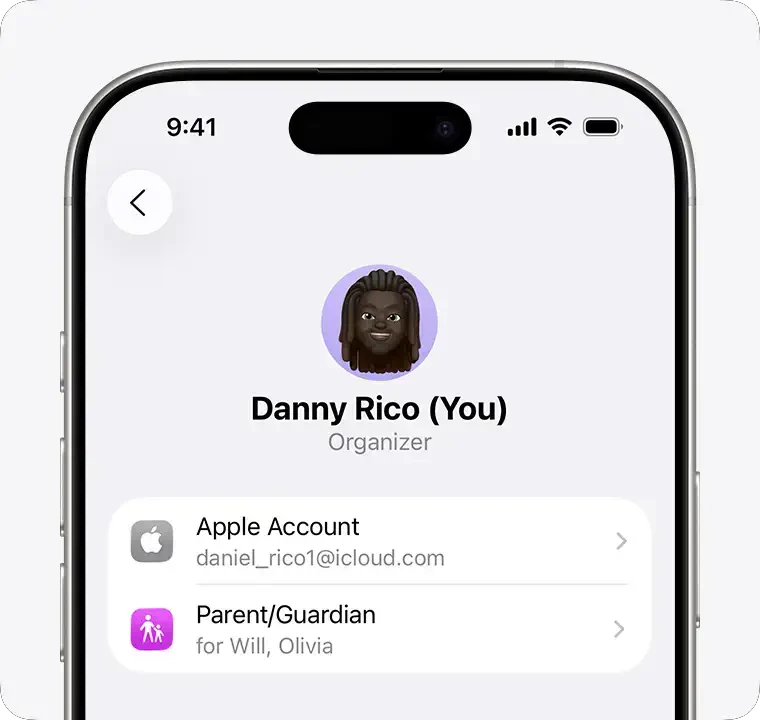
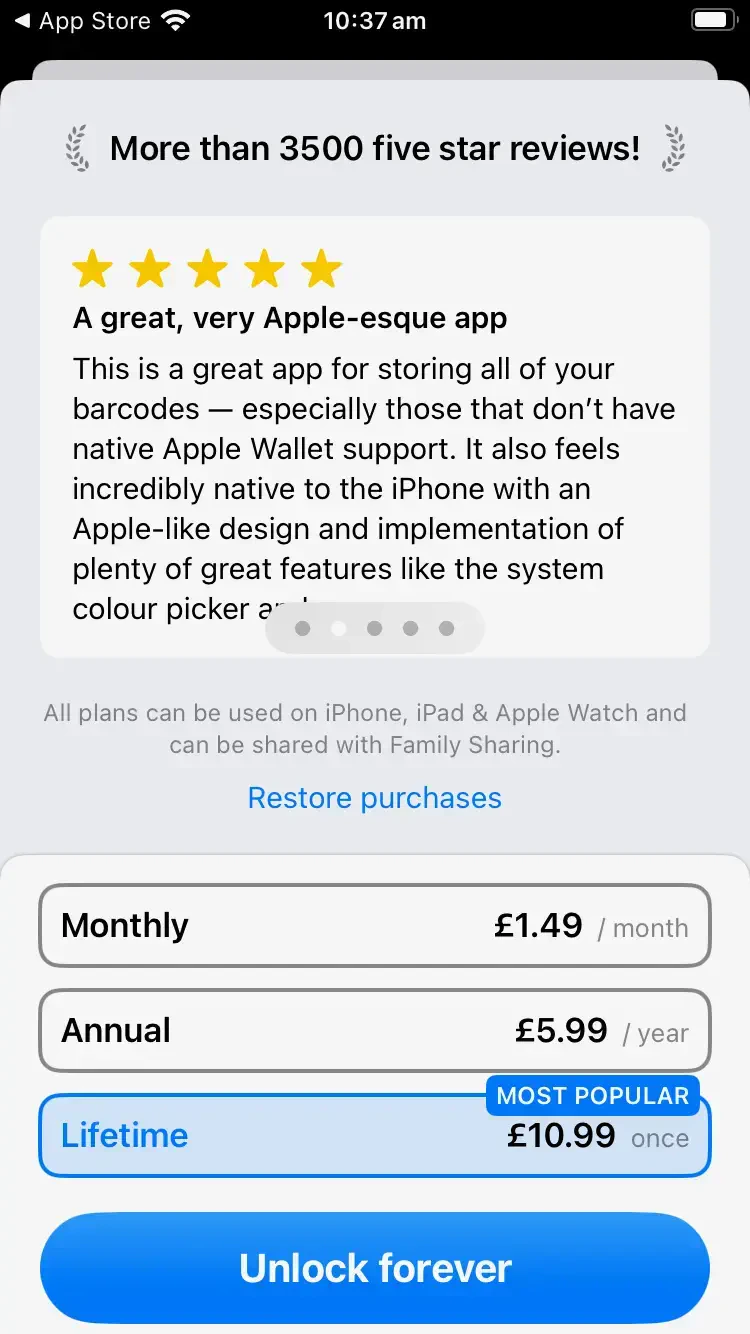
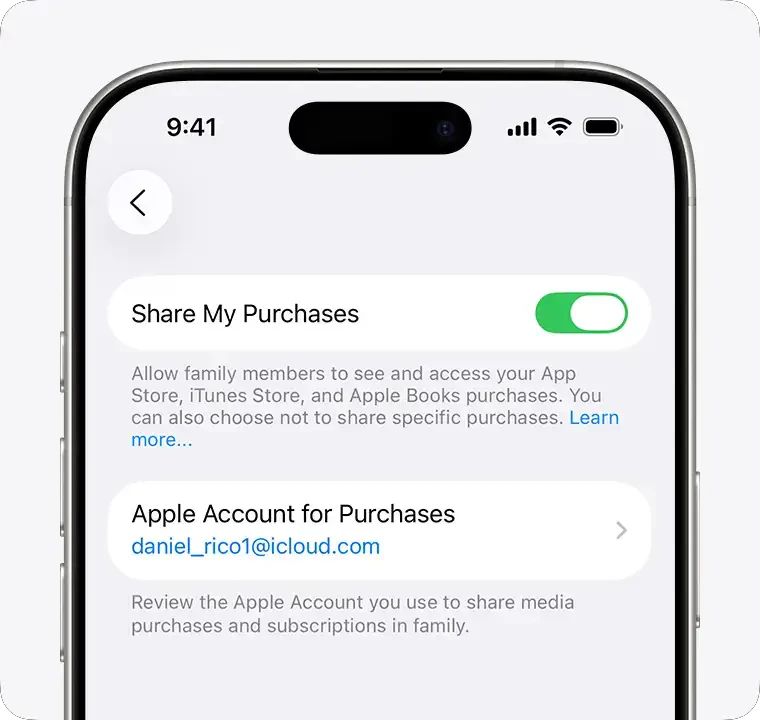 Once purchased, your family member just needs to go to the upgrade screen and then tap Restore Purchases! Note you may need to scroll to see the button.
 ## Sharing your subscription
You can share your Barcodes Unlimited subscription with family members.
1. Go to Settings > Family > Subscriptions > Manage Subscriptions.
2. Do either of the following:
* *Share all new subscriptions*: Turn on Share with Family. When you purchase a new subscription that’s eligible for sharing, it’s shared with your Family Sharing members by default.
* *Change the settings of a specific subscription*: Tap a subscription, then turn Share with Family on or off.
If you can't find your family's shared apps and content, [Apple's support article](https://support.apple.com/en-us/108911) provides detailed troubleshooting steps.
**Helpful Links**
* [Learn more about Family Sharing](https://www.apple.com/family-sharing/)
* [Set up Family Sharing](https://support.apple.com/en-us/108380)
* [Share Apple and App Store subscriptions with family members on iPhone](https://support.apple.com/en-us/guide/iphone/iph6e7917d3f/ios)
* [If you can't find your family's shared apps and content](https://support.apple.com/en-us/108911)
## Sharing your subscription
You can share your Barcodes Unlimited subscription with family members.
1. Go to Settings > Family > Subscriptions > Manage Subscriptions.
2. Do either of the following:
* *Share all new subscriptions*: Turn on Share with Family. When you purchase a new subscription that’s eligible for sharing, it’s shared with your Family Sharing members by default.
* *Change the settings of a specific subscription*: Tap a subscription, then turn Share with Family on or off.
If you can't find your family's shared apps and content, [Apple's support article](https://support.apple.com/en-us/108911) provides detailed troubleshooting steps.
**Helpful Links**
* [Learn more about Family Sharing](https://www.apple.com/family-sharing/)
* [Set up Family Sharing](https://support.apple.com/en-us/108380)
* [Share Apple and App Store subscriptions with family members on iPhone](https://support.apple.com/en-us/guide/iphone/iph6e7917d3f/ios)
* [If you can't find your family's shared apps and content](https://support.apple.com/en-us/108911)