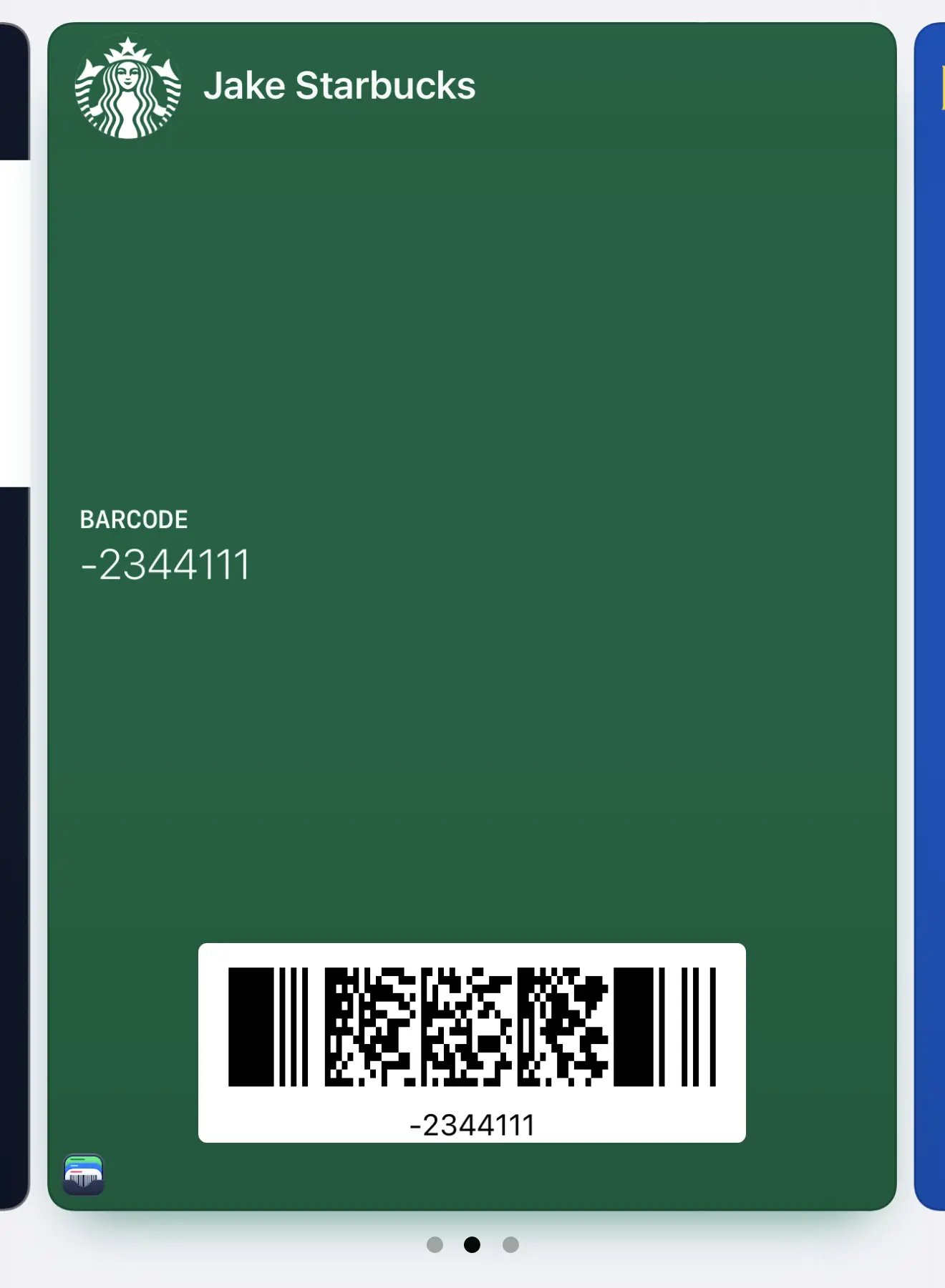
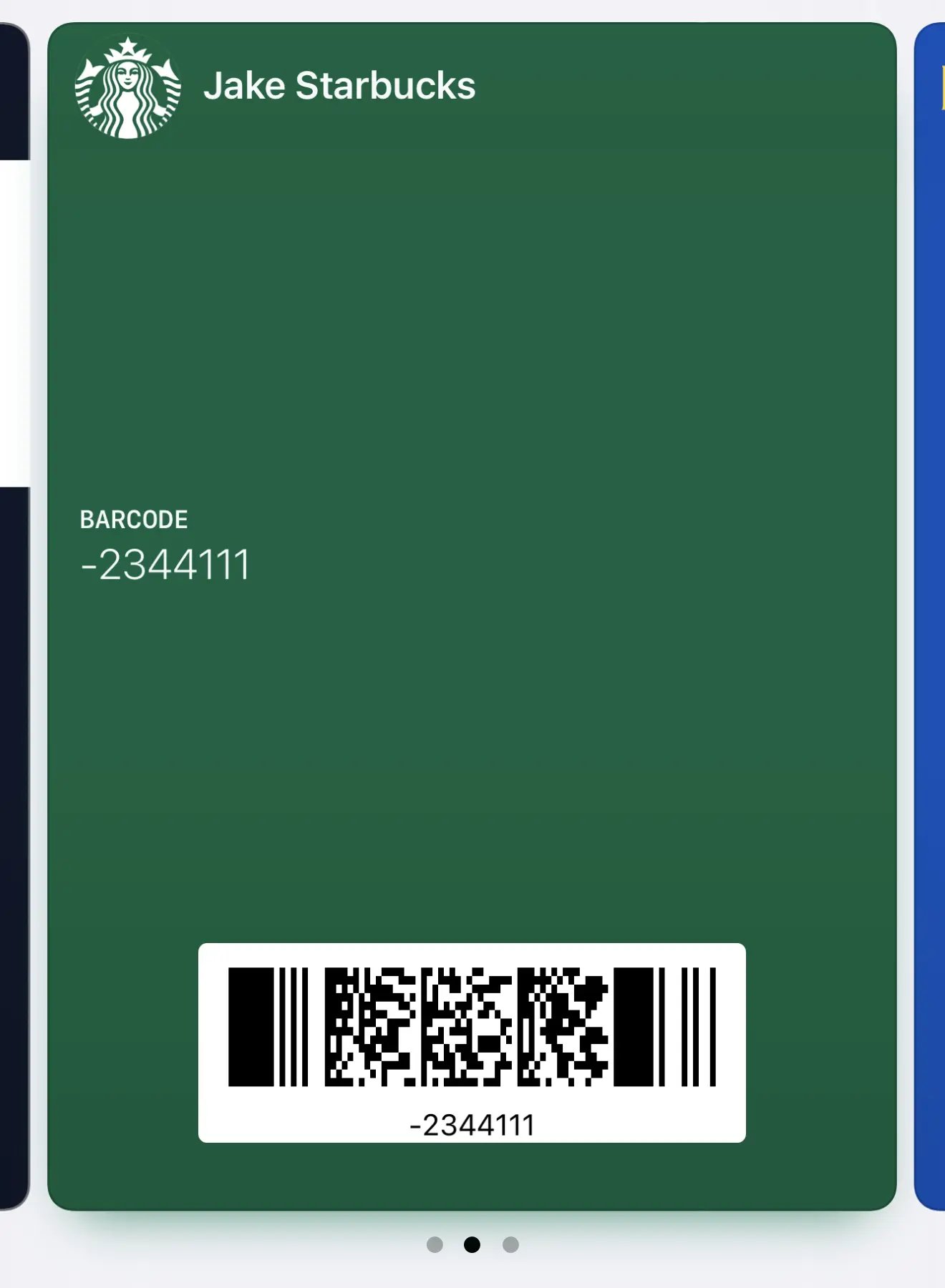
By default, Apple Wallet passes include a small app icon in the bottom-left corner that links back to Barcodes. If you prefer a cleaner, more minimalist look, you can hide this.

How to hide the app icon

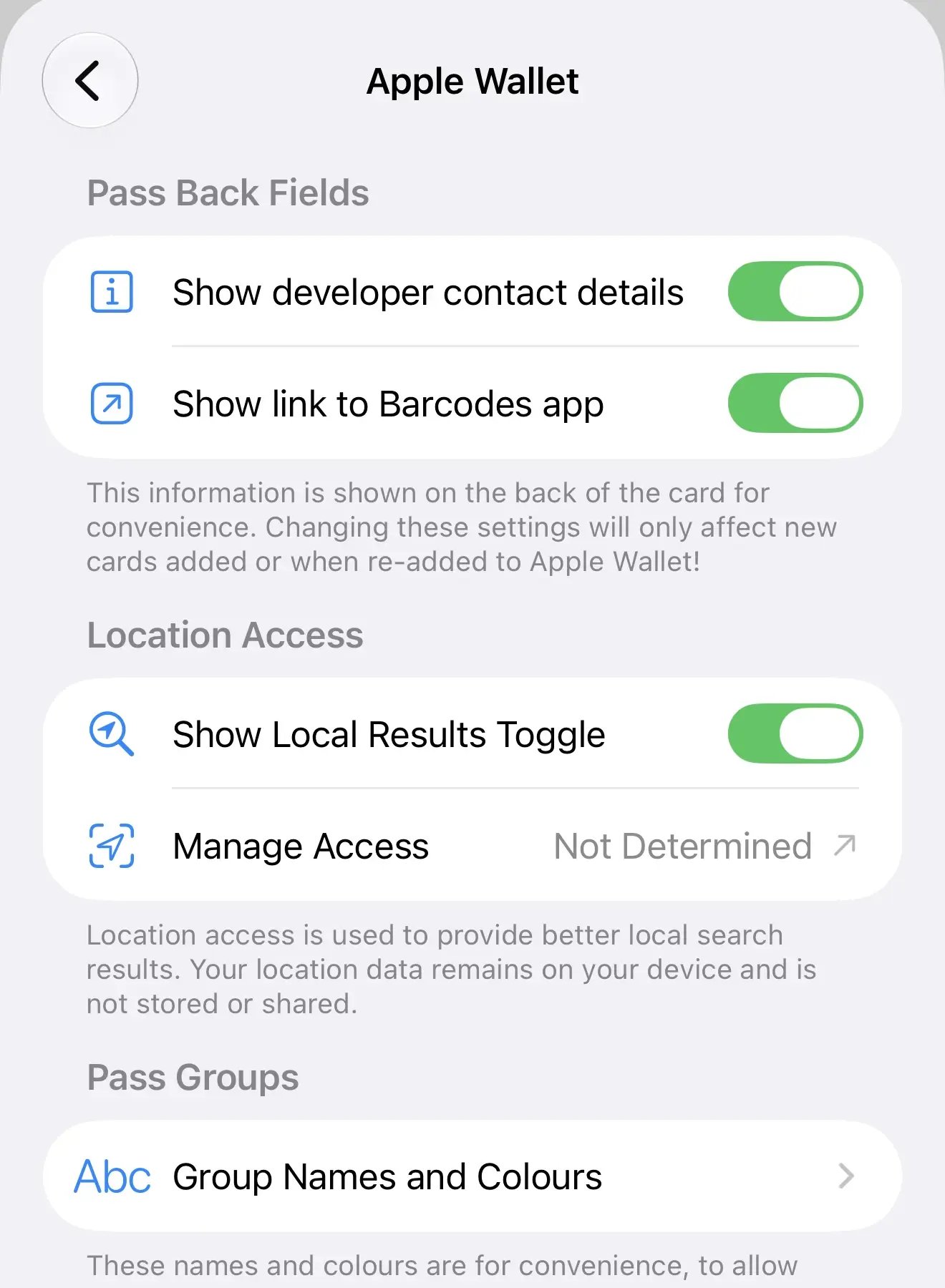
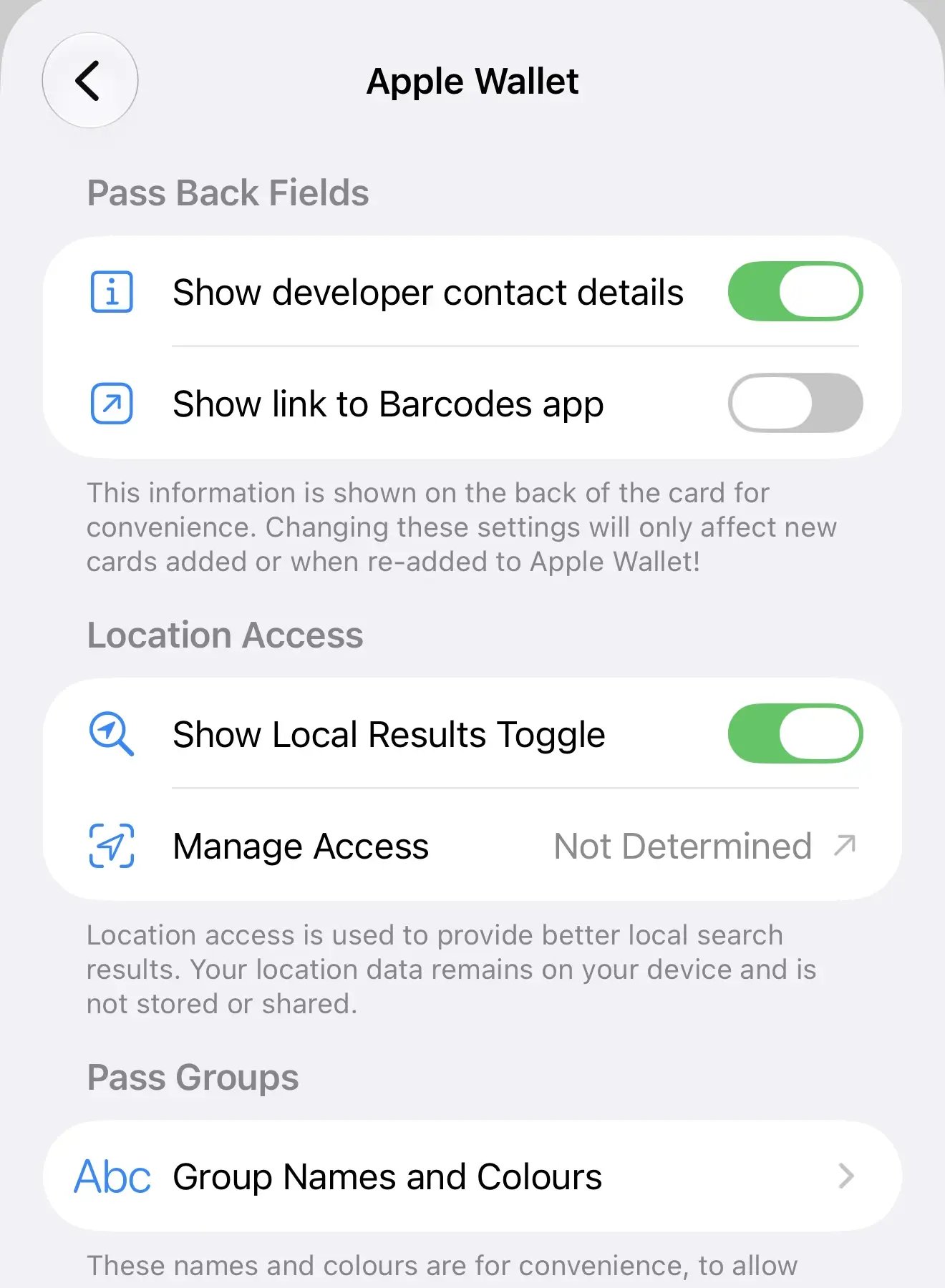
  1. Go to Settings in the Barcodes app
  2. Tap Apple Wallet
  3. Toggle off Show link to Barcodes app
Apple Wallet settings with app link toggle enabled
Wallet pass with the Barcodes app icon visible
Apple Wallet settings with app link toggle disabled
Wallet pass without the app icon for a cleaner look
This setting only affects new passes. To update existing passes, remove them from Apple Wallet and re-add them from Barcodes.